
1V1 Video Call Free Coins: What to Verify Before You Commit
Published 2026-09-22 · Updated 2026-10-25
A 1v1 video call free coins offer is a registration incentive where a platform credits new accounts with virtual currency at sign-up. GoLive Chat currently provides 200 free coins to every new account created through its official channels. [2] This guide covers three verification steps: confirming the welcome offer, checking eligibility, and protecting your account from phishing or fake generators. The platform supports two access routes—browser-based entry and an optional Android app—so you can choose whichever fits your device. [1]

Key Takeaways
- GoLive Chat credits 200 free coins to each new account at registration. This is a publisher-confirmed welcome offer, not an independently tested result. [2]
- Browser access requires no app installation, providing an alternative to the optional Android route. [2]
- An optional Android app is listed on the official Google Play store for users who prefer a dedicated mobile experience. [1]
- Any coin offer arriving through unsolicited messages, third-party generators, or credential requests should be treated as suspicious.
Defining the GoLive Chat Welcome Offer
GoLive Chat credits 200 free coins to every new account upon registration. [2] The amount identifies the welcome offer for new registrations. It is one fact to record alongside the official website and optional Android listing when deciding how to access GoLive. Conditions attached to a particular feature are a separate question from the number stated in a registration offer. Keeping those questions separate makes it easier to compare information without treating different operators’ coins as interchangeable.
The registration bonus is separate from any promotional offers that may appear in unsolicited messages or on third-party sites. Legitimate welcome credits are applied directly during the official sign-up flow. If you see a different coin amount advertised elsewhere, treat it with caution. For more details on how this benefit works, visit the 200 free coins information page.
Access is flexible. You can use the service directly through a web browser with no installation required. [2] An optional Android app is also available for those who prefer a dedicated mobile application. [1] The website and Android listing identify the two access routes. The existence of either route alone does not explain separate account or feature conditions.
Verifying Account Eligibility and Security
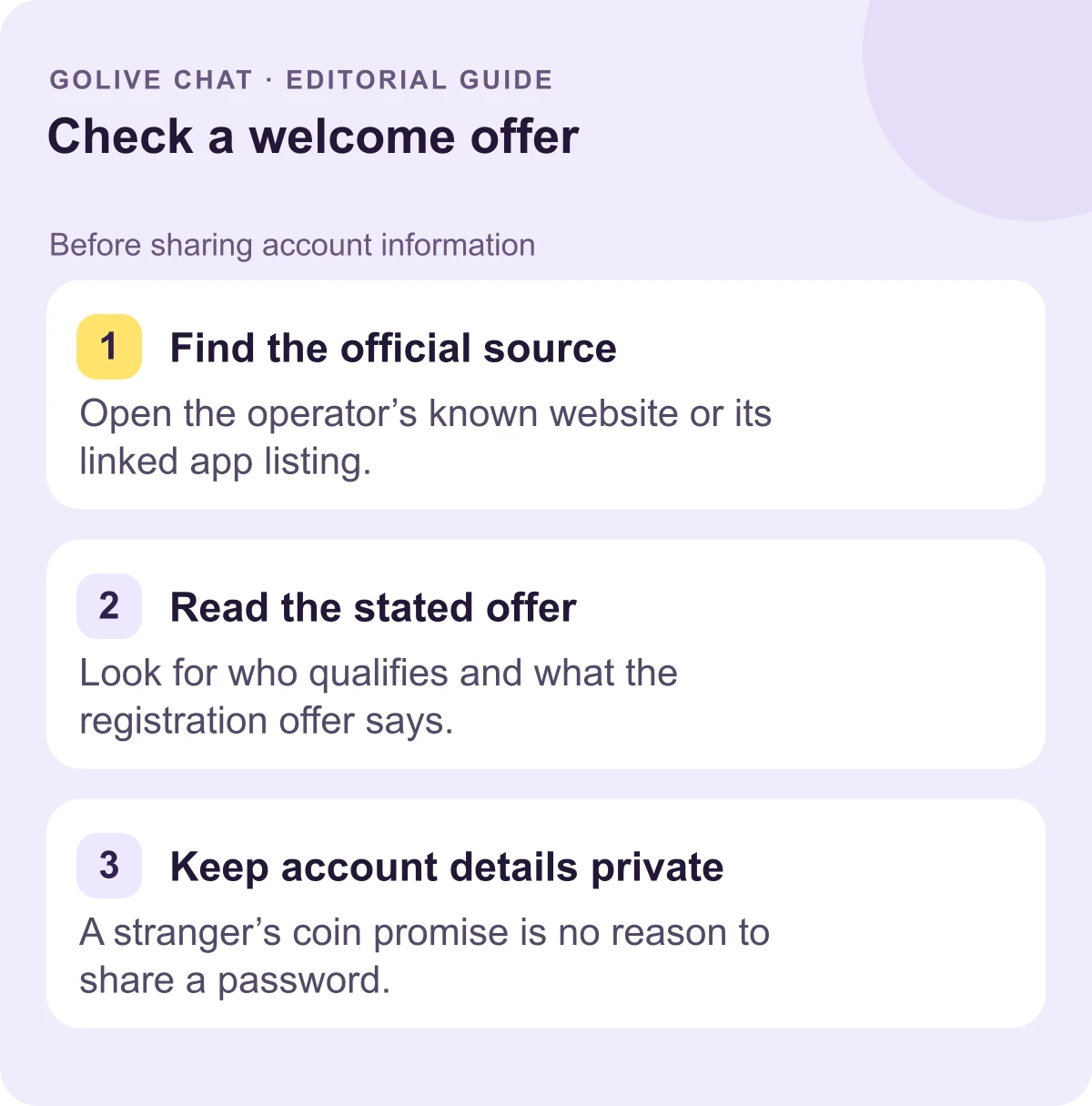
Verifying eligibility for the 200 free coins registration bonus starts with checking official sources. [2] The platform offers browser access without requiring an app installation, which makes it straightforward to confirm you are on the correct site by checking the URL directly. Verify a registration offer through the operator’s known website or its linked app listing. An advert or message can point to a real offer, but the message itself is not evidence that its sender represents the operator. An external generator’s promise also needs more than a familiar logo or a screenshot to establish credibility.
Follow these practical steps to verify your account and protect your registration:
- Navigate directly to web.golive.mobi [2] to begin registration. [2] Check the URL bar to confirm you are on the legitimate site rather than a fraudulent imitation.
- Look for the 200-coin welcome offer displayed on the official registration page. Confirm it applies to new accounts only.
- Complete registration on the official site. Browser access means no software installation is required to claim the offer. [2]
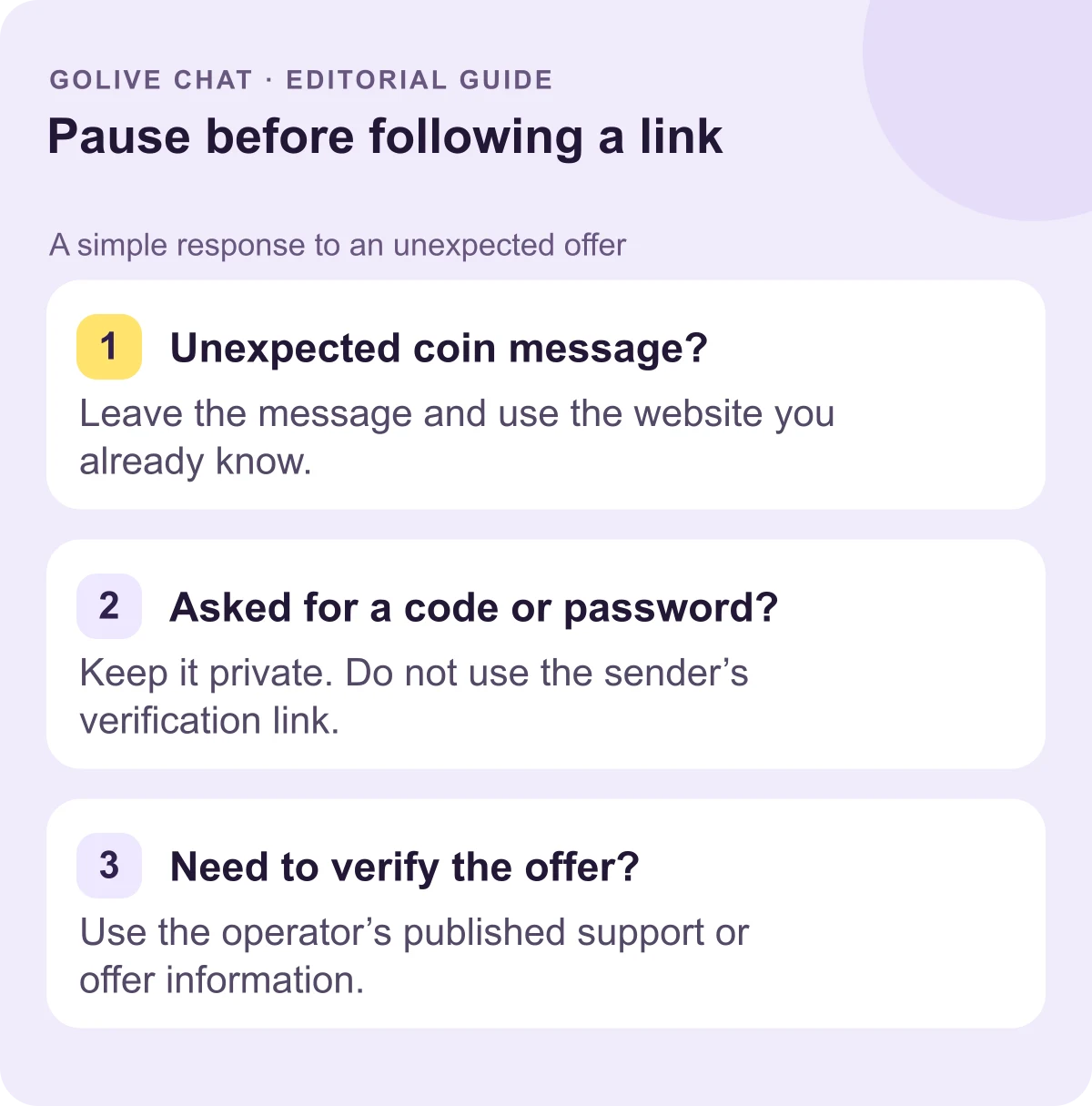
- Watch for suspicious messages asking for credentials outside the official site. An illustrative example of a phishing message: "Click here to claim your bonus coins—verify your password now." Keep passwords and one-time codes private rather than giving them to a message sender. Return to the known official entry point to verify the offer.
- If you encounter a suspicious message or website, do not interact with it. Report it through appropriate channels such as the FTC's phishing guidance [3].
Use the operator’s own information to check three things: the advertised amount, who qualifies, and where registration takes place. Screenshots can be old, and a similar-looking name can belong to someone else. The FTC advises contacting a company through a phone number or website you know is real, rather than the contact information in a suspicious message. That gives you a way to verify a claim without relying on the sender.
For example, a message might quote GoLive’s actual 200-coin amount while asking you to send a password privately. The correct amount does not authenticate the request. In a different case, an advert may lead to the official website; you can still compare the offer shown there with the message before deciding whether to register. These are illustrative checks, not reports of tested incidents or a claim that every advertisement is fraudulent.
Accessing GoLive Chat via Browser
GoLive Chat provides browser access without an app installation. [2] New users can reach the platform and claim the registration offer directly from a web browser on any compatible device. This removes the need to download software before exploring the service. Typically, browser-based access requires only a modern web browser and an internet connection. The platform is accessible through this browser route, making it a practical starting point for first-time users evaluating the service.
For users who prefer a dedicated mobile experience, an optional Android app is available through the official Google Play listing. [1] The listing identifies the optional app rather than establishing identical feature conditions across all routes. Browser access remains available without an installation. If your decision depends on a particular account condition, consider that information separately from whether an Android app exists.
Browser access suits quick sessions without committing to a download. The optional Android route may suit someone who prefers an installed application. That preference is separate from any expectation about additional functions. For general guidance on using the platform's features, the 1v1 video chat guide covers common questions about getting started.
Access and Source Verification
Before committing to any 1v1 chat platform, verify key access and source details on the vendor's official pages. Official documentation varies in completeness across platforms. Not every service publishes the same level of detail about account terms, data handling, or support availability. Some provide thorough documentation while others leave critical questions unanswered until after registration. The table below lists specific criteria worth checking before you create an account.
| Confirmed information | Official source | Decision it supports |
|---|---|---|
| 200 free coins at registration for new accounts | GoLive’s stated welcome offer | Identifying the offer for a new registration |
| Browser access without installation | GoLive website | Choosing a route without an app download |
| Optional Android app | Supplied Google Play listing | Identifying the intended installed application |
Those three facts describe the stated offer and access routes. For separate questions about account data, current feature conditions or support, use the operator’s relevant information rather than filling gaps with a third party’s claim. A coin number alone supplies none of those answers.
A useful note can be short: record the official domain, the stated amount, the registration eligibility wording and the route you intend to use. If another message promises something different, compare the actual wording before taking action. Currency names from different operators should be recorded as separate offers, rather than being treated as a shared unit with an assumed value.
Take particular care when an offer combines several demands. A message that asks for account credentials, urges immediate action and sends you away from the known site deserves verification before a response. You can pause at that point; an unfamiliar sender’s deadline is not a reason to hand over private information. The goal is to make a deliberate registration decision using information you can attribute to its source.
Conclusion
GoLive Chat's 200-coin registration offer is a straightforward welcome incentive confirmed by the publisher. [2] The platform supports browser access without installation and provides an optional Android app through Google Play. [1] Before creating an account, verify that you are on the official site or app listing. Treat any unsolicited coin offer with suspicion. For the latest details on the welcome offer and access options, visit the official GoLive Chat page [2].
Sources
FAQ
How many free coins does GoLive Chat give at registration?
Each new GoLive Chat account is credited with 200 free coins upon sign-up. [2] The publisher has confirmed this amount. The amount describes the registration offer; it does not supply conditions for every feature.
Can I access GoLive Chat without downloading an app?
Yes. GoLive Chat offers browser access that requires no app installation. [2] You can open the platform directly in a web browser on a compatible device and complete registration without downloading anything.
Is there an official GoLive Chat app for Android?
An optional GoLive Android app is available at the official Google Play listing. [1] Downloading from that listing helps ensure you are installing the legitimate application rather than a modified or counterfeit version.
How can I tell if a free-coin offer is legitimate?
A legitimate offer appears during the official registration flow on the platform's own site or app. Unsolicited messages, third-party generators, or requests for your login credentials are common signs of a scam. If an offer asks you to enter your password on a page that is not the official domain, do not proceed.
What does the 200-coin amount tell me?
It identifies GoLive’s welcome offer for new accounts at registration. Conditions for a particular feature should be considered separately from that amount. [2] Treat additional promises from an unofficial sender as claims to verify through the operator.
New users get 200 free coins when they register with GoLive Chat. GoLive Chat works in the browser without installation. An Android app is also available.
Start 1v1 video chat — get 200 free coins